Business teams spend a surprising amount of time on work that does not directly move projects forward. Searching through documents, summarizing meetings, drafting emails, reviewing spreadsheets, and preparing presentations can consume hours each week. Microsoft Copilot for business is designed to assist with many of these everyday tasks while keeping people connected to the Microsoft tools they already use.
The value is not simply about generating text faster. The bigger question is whether Copilot can help employees spend less time on repetitive work and more time reviewing information, making decisions, and serving customers.
1. Faster Email and Message Preparation
Email remains a major part of office work. Employees often spend several minutes turning notes, previous conversations, and scattered information into a clear response.
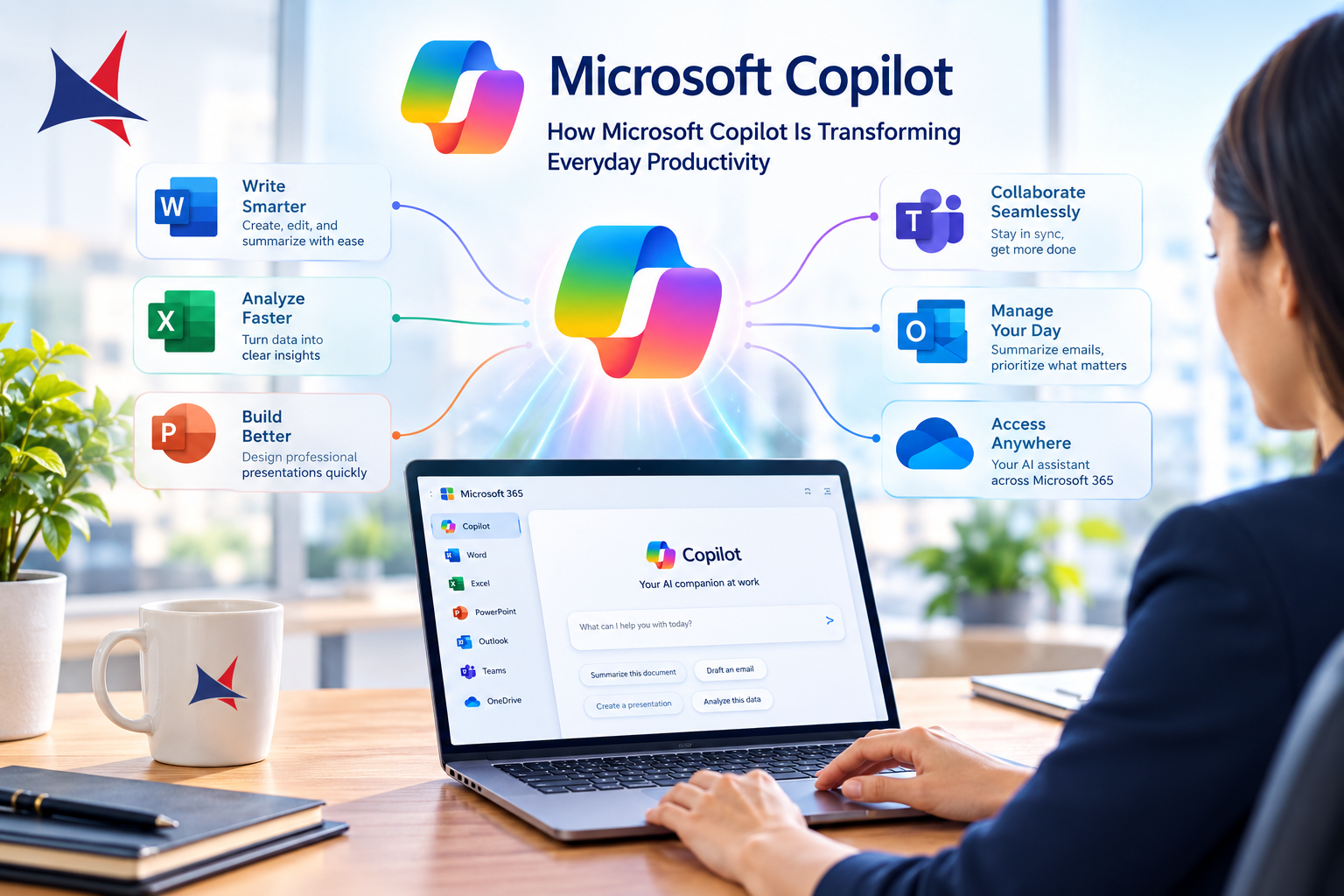
Copilot in Microsoft Outlook can help draft messages, summarize email threads, and provide assistance with communication. You still need to review the output before sending it, especially when the message involves customers, financial information, contracts, or sensitive business decisions.
That review step matters. AI assistance can save time, but the employee remains responsible for accuracy and tone.
2. Better Meeting Follow-Up
Meetings often create another productivity problem: the conversation ends, but the work does not.
Copilot capabilities in Microsoft Teams can help users summarize discussions, identify important points, and support follow-up work when the relevant meeting features and permissions are available.
Instead of asking someone to manually reconstruct an hour-long discussion, your team can start with an AI-generated summary and then verify the important details. This can be particularly useful when several people need to understand the same meeting without attending it.
3. Turning Documents Into Useful Drafts
Creating a first draft can be one of the slowest parts of knowledge work.
Copilot in Microsoft Word can assist with drafting, rewriting, summarizing, and working from existing material. For example, you might use an approved business document as source material when preparing an internal briefing.
The important distinction is between assistance and approval. Copilot can produce a useful starting point, but employees should check facts, figures, references, and company-specific information before publishing or sharing the document.
4. Making Spreadsheet Analysis Easier
Spreadsheets often contain useful information that employees struggle to interpret quickly.
Copilot features in Excel can help users work with data, identify patterns, summarize information, and explore questions using natural language, depending on the Microsoft 365 plan and enabled features.
Imagine a sales manager reviewing several months of performance data. Instead of manually searching through every section, the manager can ask questions about trends and then inspect the underlying figures to confirm the results.
That combination of AI assistance and human review is much safer than accepting an automatically generated answer without checking the source data.
5. Faster Presentation Preparation
Presentations can require considerable preparation, particularly when the information already exists in documents or reports.
Copilot in PowerPoint can assist with creating presentation content from existing material. It can help organize ideas into slides and provide a starting point for visual communication.
You should still review every slide. Numbers, customer information, product claims, and business recommendations need human approval before the presentation reaches an audience.
6. Finding Information Across Microsoft 365
One of the biggest productivity challenges in larger organizations is not a lack of information. It is finding the right information.
Microsoft 365 environments can contain documents, emails, Teams conversations, presentations, spreadsheets, and other business records. Copilot can work with information that the user is permitted to access, which makes permissions and information management especially important.
If access controls are poorly configured, adding AI does not solve the underlying problem. It makes good identity, security, and document-management practices even more important.
7. Supporting Customer and Business Teams
The benefits extend beyond office administration.
Sales teams can use Copilot capabilities to prepare customer communications and review relevant information. Service teams can benefit from faster access to case information and summaries. Managers can spend less time compiling updates and more time reviewing results.
For businesses using Microsoft Dynamics 365, Power Platform, Azure, and Microsoft 365 together, Copilot can become part of a wider technology strategy rather than a standalone AI tool.
8. Giving Employees a Practical AI Assistant
The strongest productivity improvements usually come from repeated small time savings.
An employee who saves 10 minutes preparing a meeting summary may not notice a major difference on one day. Across several meetings each week and many employees, those small savings can become significant.
However, successful adoption requires more than assigning licenses. Employees need clear guidance on appropriate use, data protection, verification, and the tasks where Copilot can provide useful assistance.
What Businesses Should Check Before Deploying Copilot
Before introducing Copilot across an organization, review your Microsoft 365 environment.
Check user permissions, sensitive information, SharePoint access, identity controls, retention requirements, and existing security policies. Copilot works within the permissions available to users, so excessive access can create unnecessary information exposure.
You should also decide which teams will participate in the first rollout. A controlled pilot can reveal training needs and useful business scenarios before a wider deployment.
This is where Microsoft Copilot for business planning becomes important. The technology is only one part of the project. Licensing, security, employee training, governance, adoption, and ongoing support also need attention.
FAQs
What is Microsoft Copilot for business?
Microsoft Copilot for business refers to Microsoft's AI assistance capabilities designed for workplace productivity. Depending on the product and license, Copilot can assist with tasks across applications such as Word, Excel, PowerPoint, Outlook, Teams, and other Microsoft services.
Can Copilot replace employees?
No. Copilot is designed to assist employees rather than replace human responsibility. People should review generated content, verify important information, and make the final business decisions.
Is Microsoft Copilot secure for business use?
Security depends on how your Microsoft environment is configured. Identity controls, permissions, data governance, and information management should be reviewed before deployment.
Which departments can benefit from Copilot?
Almost any knowledge-based team can find useful applications. Sales, customer service, finance, HR, marketing, operations, and management teams can use Copilot for different tasks depending on their workflows and Microsoft environment.
How should a company introduce Copilot?
Start with specific business scenarios instead of giving employees a tool without guidance. Run a pilot, establish usage rules, train employees, measure results, and expand the rollout based on what works.
How Cambay Solutions Can Help With Copilot Planning
Cambay Solutions supports organizations working with Microsoft technologies, including Microsoft 365, Azure, Dynamics 365, Power Platform, security, data and analytics, and Microsoft Copilot.
For businesses considering Copilot, the starting point should be practical. Identify repetitive tasks, review information access, select suitable users, establish governance, and determine how success will be measured.
When Microsoft Copilot for business is introduced with clear policies and appropriate training, it can become a useful part of everyday work rather than another application employees rarely use.