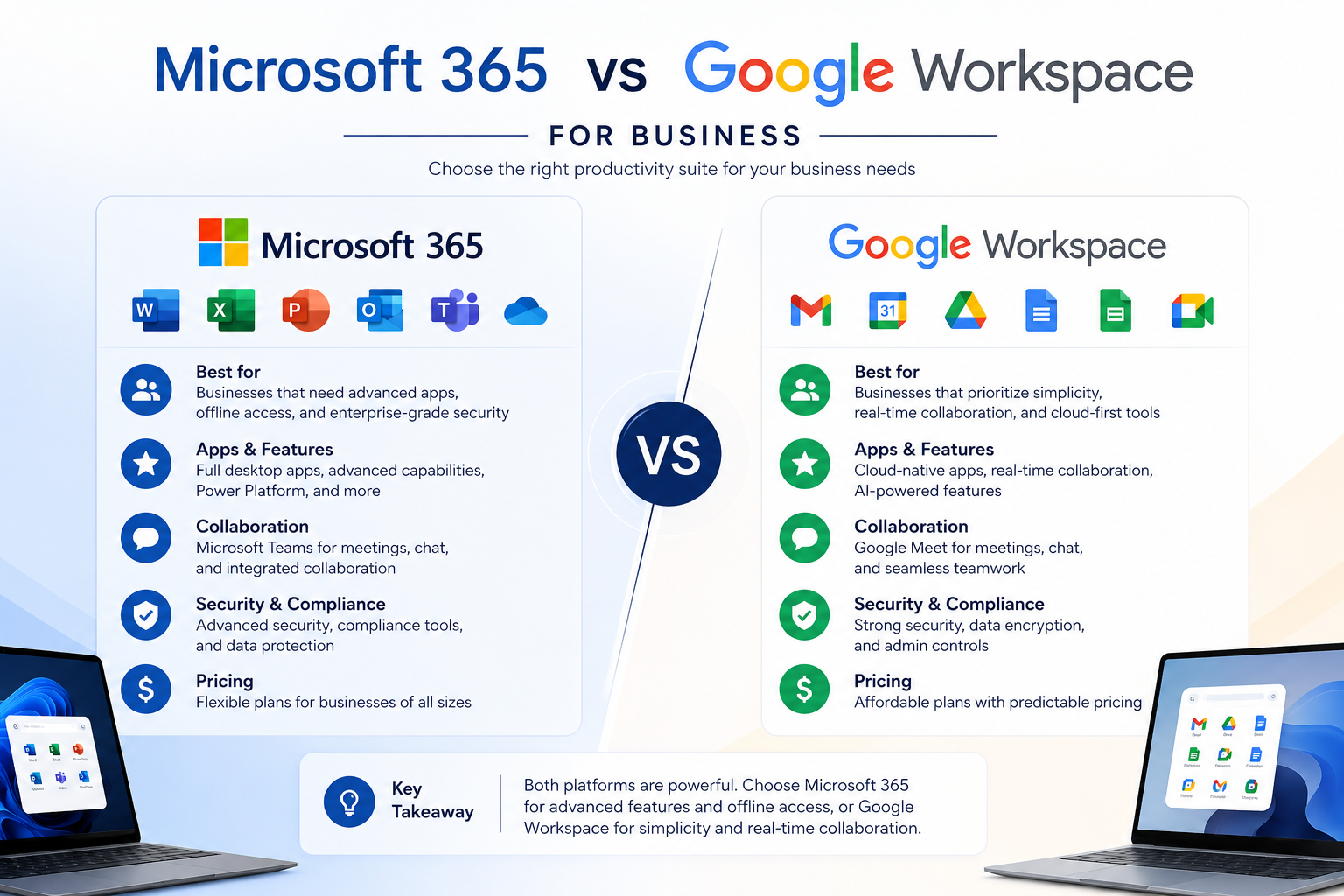
Choosing the right productivity platform is one of the most important technology decisions for any business. Whether you're a startup, a growing small business, or an established enterprise, your collaboration tools directly impact communication, productivity, and data security.
When comparing Microsoft 365 vs Google Workspace for business, both platforms offer cloud-based email, document creation, file storage, and collaboration features. However, each has unique strengths that make it better suited to different business needs.
In this guide, we'll compare both solutions to help you determine which platform best supports your organisation.
What Is Microsoft 365?
Microsoft 365 is a cloud productivity suite that combines familiar Office applications with collaboration and security tools. It includes:
Outlook
- Word
- Excel
- PowerPoint
- Microsoft Teams
- OneDrive
- SharePoint
- Exchange Online
Microsoft 365 is widely used by businesses that require advanced productivity features, strong security controls, and seamless integration across Microsoft products.
What Is Google Workspace?
Google Workspace is Google's cloud-based productivity platform designed for modern collaboration. It includes:
- Gmail
- Google Docs
- Google Sheets
- Google Slides
- Google Meet
- Google Drive
- Google Calendar
- Google Chat
Google Workspace focuses on real-time collaboration, simplicity, and accessibility from any device with an internet connection.
Microsoft 365 vs Google Workspace for Business: Key Comparison
1. Productivity Applications
Microsoft 365 provides industry-leading desktop applications with advanced features for document creation, spreadsheets, presentations, and data analysis. Businesses that frequently work with complex Excel formulas, detailed reports, or professional presentations often prefer Microsoft Office.
Google Workspace offers browser-based applications that are simple, lightweight, and ideal for collaborative editing. Multiple users can work on the same document simultaneously without worrying about version conflicts.
Winner:
- Microsoft 365 for advanced productivity
- Google Workspace for real-time collaboration
2. Email and Communication
Both platforms provide professional business email.
Microsoft 365 uses Outlook with Exchange Online, offering enterprise-grade email management, shared mailboxes, calendars, and scheduling tools.
Google Workspace uses Gmail, known for its intuitive interface, powerful search capabilities, and seamless integration with other Google services.
Both also include video conferencing:
- Microsoft Teams
- Google Meet
Both platforms support remote and hybrid work effectively.
3. Collaboration Features
One of the biggest factors in the Microsoft 365 vs Google Workspace for business comparison is collaboration.
Google Workspace excels in live document editing, allowing multiple users to make changes instantly while automatically saving updates.
Microsoft 365 has significantly improved collaboration through Teams, SharePoint, and OneDrive while maintaining compatibility with desktop Office applications.
If your organisation frequently collaborates on shared documents, either platform can meet your needs, although Google Workspace offers a simpler collaborative experience.
4. Cloud Storage
Microsoft 365 includes OneDrive for personal file storage and SharePoint for team collaboration.
Google Workspace relies on Google Drive, providing easy file sharing, cloud storage, and straightforward permission management.
Both platforms offer scalable storage options depending on the subscription plan.
5. Security and Compliance
Security is a major consideration when selecting a business productivity platform.
Microsoft 365 offers:
- Multi-factor authentication (MFA)
- Microsoft Defender integration
- Data Loss Prevention (DLP)
- Advanced identity management
- Compliance management tools
Google Workspace includes:
- Two-step verification
- Endpoint management
- Secure cloud infrastructure
- Data protection controls
- Admin security policies
Both provide robust security, but Microsoft 365 generally offers more advanced compliance and enterprise security capabilities.
6. Integration with Business Applications
Microsoft 365 integrates seamlessly with:
- Windows devices
- Microsoft Dynamics
- Azure
- Power BI
- Hundreds of third-party business applications
Google Workspace integrates well with:
- Google Cloud
- ChromeOS
- Android devices
- Numerous third-party SaaS applications
The better choice often depends on your existing technology ecosystem.
Which Platform Is Best for Your Business?
Choose Microsoft 365 if your business:
- Uses Microsoft Office extensively
- Requires advanced Excel capabilities
- Needs enterprise-level security and compliance
- Operates in a Windows-based environment
- Requires sophisticated document management
Choose Google Workspace if your business:
- Prioritises simple collaboration
- Works primarily in a web browser
- Prefers lightweight cloud applications
- Has highly distributed or remote teams
- Wants an easy-to-manage productivity platform
Can Businesses Use Both?
Yes. Some organisations use Microsoft 365 for desktop productivity while integrating Google Workspace tools for collaboration. However, managing two platforms may increase licensing costs and administrative complexity.
For most businesses, selecting one primary platform provides a more consistent user experience and simplifies IT management.
Final Thoughts
When evaluating Microsoft 365 vs Google Workspace for business, there isn't a one-size-fits-all answer. Both platforms deliver powerful productivity, communication, and collaboration capabilities.
Microsoft 365 stands out for organisations that need advanced desktop applications, comprehensive security, and enterprise-grade compliance. Google Workspace shines in simplicity, cloud-native collaboration, and ease of use.
The right choice depends on your business goals, existing IT infrastructure, security requirements, and how your teams work together. Partnering with an experienced managed IT provider can help you assess your needs, migrate smoothly, and maximise the value of your chosen platform.
Frequently Asked Questions
1. Which is better for small businesses: Microsoft 365 or Google Workspace?
Both are excellent options. Microsoft 365 is ideal for businesses needing advanced Office applications and security features, while Google Workspace is well-suited for organisations focused on cloud-based collaboration.
2. Can I migrate from Google Workspace to Microsoft 365?
Yes. Businesses can migrate emails, calendars, contacts, and files using migration tools or professional IT support to minimise downtime.
3. Which platform offers better security?
Both provide strong security measures. Microsoft 365 generally offers more advanced compliance, identity management, and enterprise security features, making it a preferred choice for regulated industries.
4. Is Google Workspace more affordable than Microsoft 365?
Pricing varies by plan and features. Google Workspace often has a lower entry-level cost, while Microsoft 365 includes desktop Office applications that may offer greater value for businesses requiring advanced productivity tools.
5. How can iQtec help with Microsoft 365 or Google Workspace?
iQtec can assist with platform selection, migration, configuration, security, user training, and ongoing managed IT support to ensure your business gets the most from its productivity environment.