Artificial intelligence is changing the way businesses work. From drafting emails and analysing data to generating reports and automating repetitive tasks, AI assistants are helping teams become more productive than ever before. With several powerful options now available, choosing the right platform can be challenging.
For organisations comparing Microsoft 365 vs Google Workspace for business, understanding how each AI assistant fits into your existing technology environment is just as important as comparing its features. While Microsoft Copilot, ChatGPT, Claude, and Google Gemini all offer advanced AI capabilities, each is designed with different strengths in mind.
This guide compares the four leading AI assistants to help businesses identify which solution best suits their needs.
Why Businesses Are Adopting AI Assistants
Modern AI assistants are designed to simplify everyday work by helping employees complete tasks faster and more efficiently.
Common business uses include:
- Drafting emails and business documents
- Summarising meetings and reports
- Generating marketing content
- Assisting with coding and development
- Research and brainstorming
- Data analysis
- Customer communication
The goal isn't to replace employees but to free them from repetitive work so they can focus on higher-value activities.
Microsoft Copilot
Microsoft Copilot is built specifically for organisations using Microsoft 365. It works directly inside familiar applications such as Word, Excel, Outlook, Teams and PowerPoint, making AI part of everyday workflows.
Its biggest advantage is its seamless integration with Microsoft applications and organisational data, allowing users to create documents, analyse spreadsheets, summarise meetings and draft emails without switching between platforms.
Businesses investing in managed Microsoft 365 support can also benefit from expert guidance on configuring Copilot securely, managing permissions, and ensuring it aligns with business policies.
Best suited for:
- Microsoft 365 users
- Enterprise productivity
- Teams using Outlook, Excel, Word and Teams daily
ChatGPT
ChatGPT has become one of the most widely used AI assistants because of its versatility. Unlike ecosystem-specific tools, it works across virtually any business environment.
It performs exceptionally well in:
- Writing content
- Research
- Brainstorming
- Coding assistance
- Problem solving
- Business communication
Its flexibility makes it a valuable assistant for marketing teams, consultants, developers and business professionals regardless of which productivity suite they use.
Claude
Claude is recognised for its ability to understand lengthy documents and produce clear, structured responses.
Businesses often use Claude to:
- Review reports
- Summarise policies
- Analyse contracts
- Draft professional documentation
- Process large amounts of text
Its thoughtful writing style makes it particularly useful for organisations dealing with complex documentation.
Google Gemini
Google Gemini is Google's AI assistant for organisations using Google Workspace. It integrates naturally with Gmail, Google Docs, Google Sheets and Google Drive.
Users can draft emails, generate documents, analyse spreadsheets and summarise information without leaving Google's productivity tools.
For businesses evaluating Microsoft 365 vs Google Workspace for business, Gemini offers a similar workplace experience to Microsoft Copilot, but within Google's ecosystem.
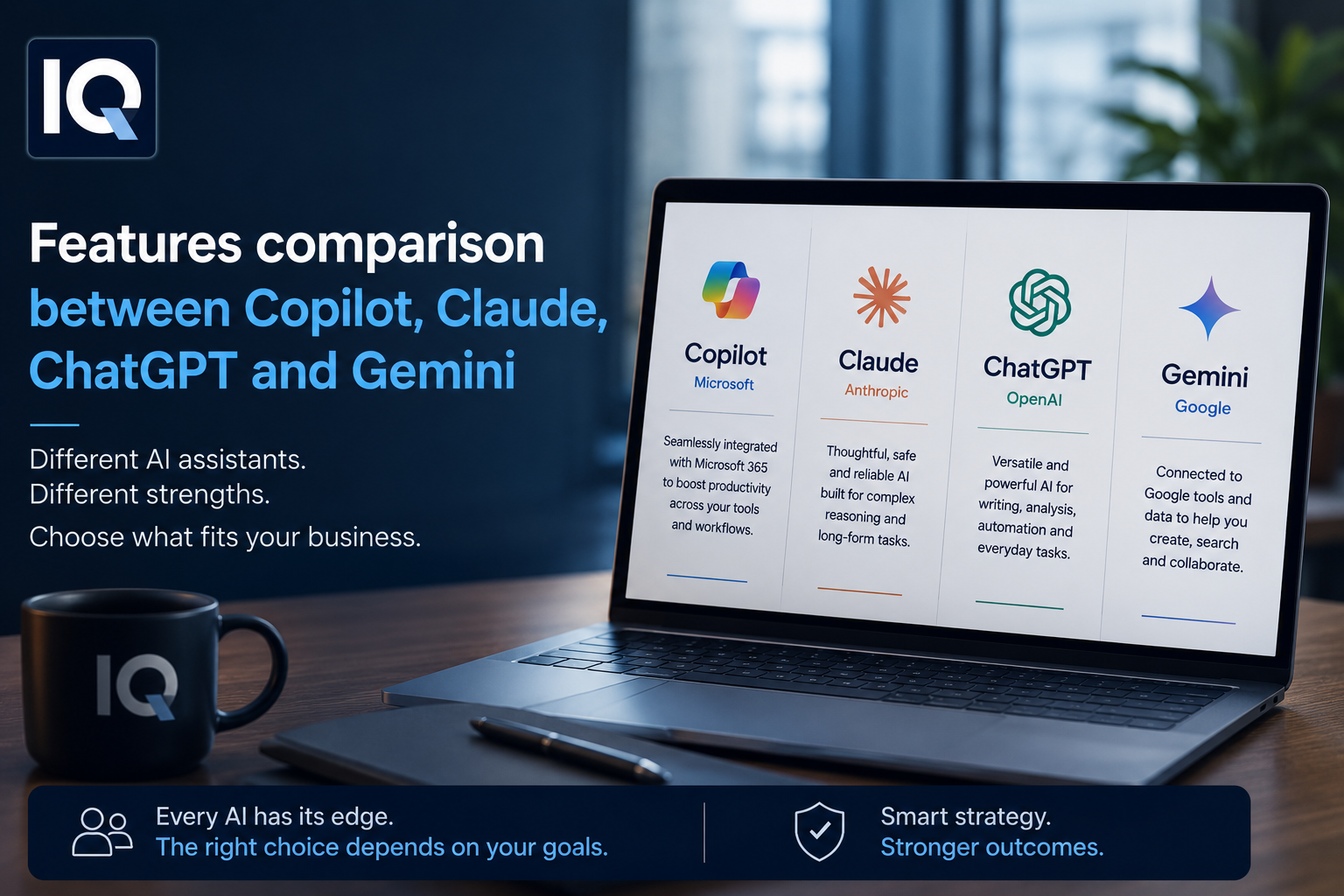
Quick Feature Comparison
| Feature | Copilot | ChatGPT | Claude | Gemini |
| Best For | Microsoft 365 | General AI | Long documents | Google Workspace |
| Writing | Very Good | Excellent | Excellent | Very Good |
| Coding | Very Good | Excellent | Good | Good |
| Business Integration | Excellent | Good | Good | Excellent |
Which AI Assistant Is Right for Your Business?
The right choice depends largely on your existing technology environment.
Choose Microsoft Copilot if you:
- Already use Microsoft 365 across your organisation.
- Want AI built directly into Word, Excel, Outlook and Teams.
- Need enterprise-grade integration and security.
Choose ChatGPT if you:
- Need a flexible AI assistant for multiple business tasks.
- Regularly create content, conduct research or write code.
- Work across different software platforms.
Choose Claude if you:
- Frequently work with lengthy documents.
- Require detailed summaries and professional writing.
- Value thoughtful, well-structured responses.
Choose Gemini if you:
- Use Google Workspace throughout your business.
- Want AI integrated into Gmail, Docs and Sheets.
- Prefer Google's cloud ecosystem.
Don't Overlook Security and Governance
Introducing AI into the workplace requires more than selecting the right tool. Businesses should also establish clear governance around how AI is used.
Important considerations include:
- Protecting sensitive business information
- Defining acceptable AI usage policies
- Training employees on responsible AI use
- Managing user permissions
- Monitoring compliance with internal policies
Strong Microsoft Management practices help organisations using Microsoft technologies ensure AI tools are deployed securely and effectively.
Maximising AI Within Microsoft 365
For businesses already invested in Microsoft technologies, AI adoption doesn't end with enabling Copilot.
To get the most value, organisations should consider:
- Secure implementation
- User training
- Permission management
- Productivity optimisation
- Ongoing technical support
Many organisations choose outsourced IT support for Microsoft 365 to help configure, manage and optimise their Microsoft environment while ensuring AI capabilities align with business goals.
Conclusion
There is no single AI assistant that is perfect for every organisation. The best solution depends on your existing productivity platform, business requirements and the type of work your teams perform every day.
When comparing Microsoft 365 vs Google Workspace for business, Microsoft Copilot and Google Gemini provide the strongest integration within their respective ecosystems. Meanwhile, ChatGPT stands out for its flexibility across a wide range of business tasks, and Claude excels at handling long-form documents and detailed analysis.
Rather than focusing solely on features, businesses should choose the AI assistant that best complements their existing workflows and long-term technology strategy. With the right planning and support, AI can become a practical tool that improves productivity while helping teams work smarter every day.
Frequently Asked Questions
Which AI assistant is best for Microsoft 365 users?
Microsoft Copilot is the best choice for organisations using Microsoft 365 because it integrates directly with Word, Excel, Outlook, Teams and other Microsoft applications.
Is ChatGPT better than Copilot?
It depends on your needs. ChatGPT offers greater flexibility across different platforms, while Copilot provides deeper integration within the Microsoft 365 ecosystem.
Which AI assistant is best for document analysis?
Claude is widely recognised for analysing lengthy documents and producing detailed, well-structured summaries.
Should businesses use more than one AI assistant?
Yes. Many organisations use different AI tools for different departments—for example, Copilot for workplace productivity, ChatGPT for content creation, and Claude for reviewing complex documents.