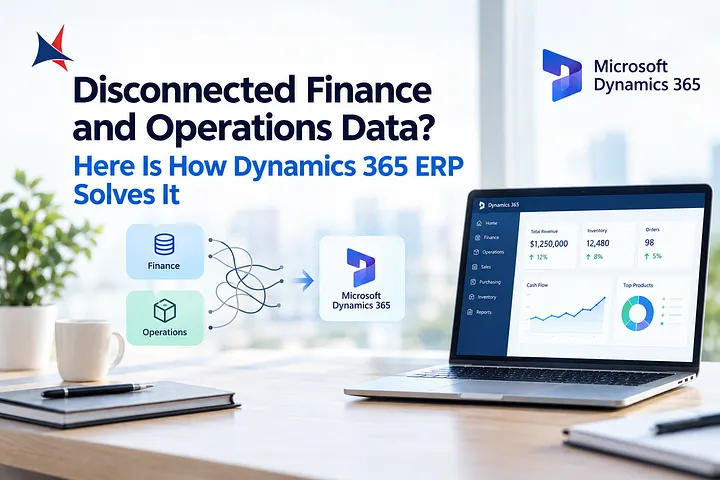
When financial information sits across spreadsheets, accounting tools, and separate business applications, even routine tasks can become difficult. Finance teams may spend hours reconciling transactions, checking figures, correcting data, and preparing reports instead of analyzing business performance.
Dynamics 365 Finance and Operations is a commonly used term for Microsoft's enterprise resource planning capabilities associated with Dynamics 365 Finance and Supply Chain Management. These applications help organizations connect financial processes with relevant operational data, improve reporting, and manage complex business activities.
The goal is not simply to automate accounting. A well-planned ERP implementation gives you a clearer view of costs, cash flow, transactions, and business performance while helping employees work with consistent information.
Connect Financial Data Across Business Departments
Financial accuracy depends on information from across the organization. Sales teams create orders, purchasing teams manage supplier commitments, warehouse employees record inventory movements, and finance teams track the resulting transactions.
When these activities happen in disconnected systems, delays and inconsistencies can affect financial reporting. An integrated ERP environment can connect relevant processes so that authorized employees work from more consistent records.
For example, when a company receives goods from a supplier, purchasing and inventory records can support the related financial processes. Finance teams can then review costs and liabilities without relying entirely on separate spreadsheets or manually transferred information.
Before implementation, map how information moves between departments. Identify duplicate data entry, repeated approvals, and frequent reconciliation problems. These findings will help determine which processes should be addressed first.
Improve Financial Reporting and Decision-Making
Business leaders need reliable financial information to make decisions about spending, hiring, pricing, and expansion. Reports that arrive late or contain inconsistent figures can make it difficult to understand the company's actual position.
Dynamics 365 Finance supports general ledger management, accounts payable, accounts receivable, budgeting, cash and bank management, and financial reporting. Depending on configuration and reporting tools, finance teams can examine financial results and compare actual performance with budgets or forecasts.
For instance, a finance manager reviewing monthly expenses may need to identify why supplier costs increased while revenue remained steady. Connected transaction records and suitable reporting can help the manager investigate the change more efficiently.
However, software alone does not guarantee accurate reports. Your chart of accounts, financial dimensions, posting rules, and reporting definitions must be configured correctly. Establishing clear data ownership and review procedures is just as important as selecting the platform.
Reduce Manual Work in Accounts Payable and Receivable
Manual finance processes can create delays, particularly when teams handle large transaction volumes. Employees may need to enter invoice details, check purchase orders, request approvals, match payments, and follow up on overdue customer balances.
ERP workflows can help standardize these activities. Depending on the system configuration, finance teams can establish approval rules, use invoice matching processes, monitor outstanding balances, and improve visibility into payment status.
Consider a business that receives hundreds of supplier invoices each month. A defined process for invoice capture, validation, exception handling, and approval can help employees identify discrepancies before payment.
Automation still requires oversight. Incorrect supplier records, duplicate invoices, or poorly designed approval rules can introduce new risks. Review exceptions regularly and maintain appropriate separation of duties for sensitive financial activities.
Strengthen Budgeting, Cash Flow, and Financial Controls
Financial management involves more than recording transactions after they happen. Your organization also needs to anticipate future obligations, monitor available funds, and ensure employees follow approved procedures.
Dynamics 365 Finance provides capabilities for budgeting, cash management, and financial planning. When configured around your business requirements, these tools can help finance teams compare planned spending with actual results and review expected cash needs.
For example, a company preparing for a seasonal increase in inventory purchases may need to estimate supplier payments alongside expected customer receipts. Better access to financial and operational information can support more informed planning.
Internal controls also deserve attention. Review user permissions, approval limits, audit requirements, and procedures for correcting financial entries. Businesses operating across several legal entities should assess their needs for intercompany accounting, currency handling, and consolidated reporting before finalizing the ERP design.
Build an Implementation Plan Around Business Priorities
Successful ERP projects begin with clear requirements, not a list of software features. Before choosing a deployment approach, document your existing financial processes, reporting obligations, integrations, and known data problems.
For Dynamics 365 Finance and Operations, the implementation scope should also reflect the specific applications being deployed. Dynamics 365 Finance and Dynamics 365 Supply Chain Management have distinct roles, even when an organization uses them together as part of a connected ERP environment.
Create an implementation plan that covers data migration, system configuration, integrations, testing, training, and post-launch support. Ask your implementation partner to identify which requirements can be met through standard features and which may need additional development.
Run realistic tests before launch. Include month-end closing, supplier invoice processing, customer payments, budget reporting, and exception handling. Reconcile migrated balances against the original system and obtain approval from the employees responsible for financial accuracy.
How Cambay Solutions Can Support Your ERP Plans
Cambay Solutions provides Microsoft-focused consulting and implementation services, including Dynamics 365 Finance and Supply Chain Management. Businesses evaluating ERP changes can discuss their financial processes, integration requirements, reporting needs, and implementation priorities with the company.
Before selecting a provider, ask for relevant project examples, a documented delivery plan, a clear breakdown of costs, and details about support after launch. Confirm how the project team will manage data migration, testing, employee training, and issues discovered after the system goes live.
A useful implementation partner should also help you set realistic goals. These might include reducing manual reconciliation, improving report preparation, increasing invoice visibility, or establishing more consistent financial controls. Define how each goal will be measured before implementation begins.
FAQs
What is Dynamics 365 Finance and Operations?
It is a commonly used term for Microsoft's enterprise ERP capabilities associated with Dynamics 365 Finance and Supply Chain Management.
Can Dynamics 365 ERP improve financial reporting?
Yes. With suitable configuration and reliable data, it can help connect financial records and support more consistent reporting.
Can the system support multiple legal entities?
Dynamics 365 Finance supports multi-entity financial management. Your specific accounting and reporting requirements must be assessed during implementation.
Does ERP automation remove the need for financial controls?
No. Approval rules, access permissions, reconciliations, and regular reviews remain essential.
Does Cambay Solutions offer Dynamics 365 implementation services?
Cambay Solutions publishes services for Dynamics 365 Finance and Supply Chain Management. Contact the company to confirm the scope and availability of services for your project.